Real Time Triggers: What to Look for in an AI Task Automation Tool
You are comparing AI task automation tools and the deciding factor keeps coming back to speed: how fast a trigger turns a message into an assigned task. Most teams abandon a tool within weeks because notifications arrive late or require manual setup. By the end of this article, you will know which real-time trigger capabilities matter, how natural language and voice input affect daily use, and which platform earns the top spot for WhatsApp-native automation. We will also break down the alternatives and give you a clear checklist for evaluating trigger speed, pricing, and your team's actual workflow.
Whether you manage field staff or remote teams, the criteria here will help you shortlist tools that fit your existing communication channels. You will leave with a concrete number one pick and the reasoning behind it.
What to Look For in an AI Task Automation Tool
To choose an AI task automation tool that truly streamlines your team's workflow, you need to evaluate its real-time trigger capabilities, natural language processing, and how seamlessly it integrates with your existing communication channels.
The right automation tool should respond instantly to events, understand human input, and fit into the team's current workflow without forcing a change in habits. When these three elements work together, the tool becomes an invisible layer that handles repetitive work while your team focuses on higher-value tasks.
Real-Time Trigger Capabilities
Real-time triggers are the backbone of effective automation, they allow tasks to be initiated instantly based on specific events, such as a new message, a data change, or a threshold alert. These trigger events eliminate the need for manual polling or scheduled checks, which means work begins the moment something happens.
Different automation workflows rely on different types of triggers:
- User actions, such as a form submission or a button click in a dashboard
- System events, like a server going down or an application completing a process
- Data changes, including new rows in a spreadsheet or updates to a customer record
- Threshold alerts, such as inventory dropping below a set level or usage crossing a monthly limit
Low latency and fast response time are critical here. A trigger that takes minutes to fire defeats the purpose of event-driven automation. If a support ticket arrives and the automation tool waits five minutes to react, the customer experience suffers. Tools that process data streams in real time keep your business process automation moving without bottlenecks.
Anomaly detection and predictive triggers add another layer of intelligence. Instead of only reacting to known events, the automation tool can flag unusual patterns and start a workflow before a problem escalates. This shift from reactive to proactive task orchestration is where real efficiency gains appear.
Natural Language Processing and Voice Input
Natural language processing (NLP) and voice input allow team members to create and manage tasks using everyday language, making automation accessible to everyone. Instead of learning complex command syntax or navigating nested menus, a user simply types or speaks what they need.
Typical commands might include:
- "Create a follow-up task for the client meeting tomorrow at 9 AM"
- "Move all high-priority items to the urgent list"
- "Send a reminder to the marketing team when the report is ready"
Voice input adds convenience for on-the-go task creation. A manager walking between meetings can dictate a task without opening a laptop, and the AI agent captures the intent and sets the right trigger conditions automatically.
Machine learning models improve context awareness over time. The more the tool observes how your team phrases requests and structures work, the better it becomes at interpreting nuances. Ambiguous phrases like "when it's done" or "as soon as possible" get resolved based on historical patterns rather than requiring manual clarification.
This matters because the decision engine behind the tool must translate natural language into actionable automation rules. If-then rules and conditional logic become more sophisticated when the tool understands the intent behind a request, not just the literal words. That capability separates a true AI task automation platform from a simple task scheduler.
Integration with Existing Communication Channels
The best AI task automation tools integrate seamlessly with the communication channels your team already uses, such as Slack, Microsoft Teams, or WhatsApp. When the automation tool lives inside a familiar platform, the learning curve nearly disappears and adoption rates climb.
API integration and webhooks are the primary methods for connecting these systems. A well-designed API lets the automation tool read events from your apps and write updates back to them, while webhooks provide real-time push notifications when something changes. Event listeners attached to these channels ensure that nothing slips through the cracks.
Consider how integration streamlines task creation in practice:
- A support request arrives in a shared channel, the automation tool detects it and creates a tracked task with the right priority
- A manager approves a document in the team workspace, the tool automatically notifies the next reviewer
- A status update in a project management app triggers a summary message posted back to the main team channel
Tools that work within a familiar platform reduce disruption and keep the automation workflow visible to everyone. When team members can see what the tool is doing and why, they trust it more and rely on it for task orchestration. The goal is to make the automation tool feel like a natural extension of the team's existing environment, not a separate system that requires constant context switching.
1. Tasks.Bot - Best Overall
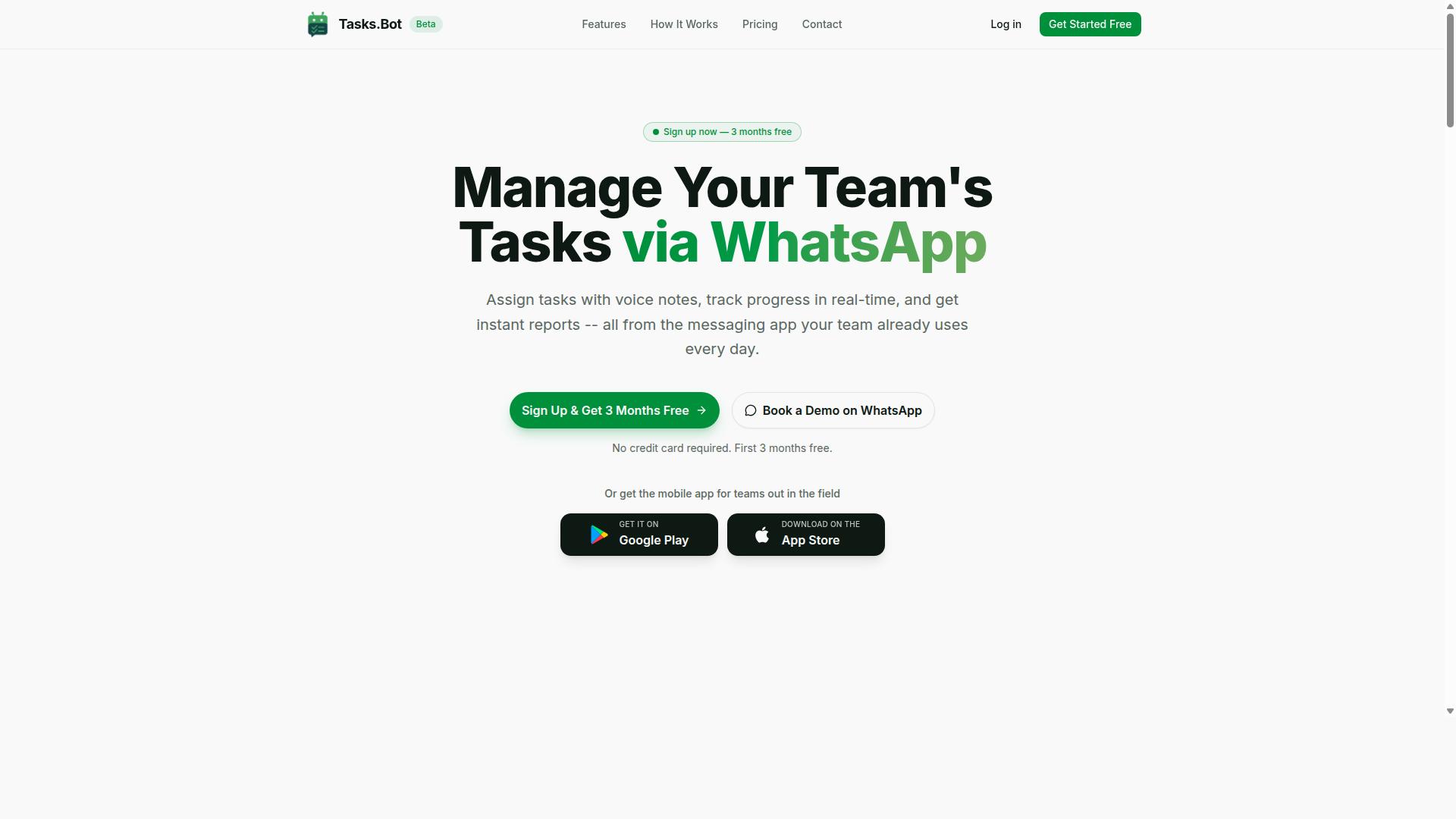
Tasks.Bot stands out as the best overall AI task automation tool because it operates entirely within WhatsApp, making it incredibly accessible for teams that rely on this messaging platform. This SaaS product is available globally, so distributed teams can adopt it without worrying about regional restrictions or complex infrastructure.
The platform transforms everyday chat interactions into a full task management system. Instead of juggling multiple apps, teams get automatic task assignment, smart deadline reminders, approvals, and instant reports all inside the familiar WhatsApp interface. This consolidation reduces friction and keeps the entire workflow visible in one place.
Because it is a cloud-based service, there is no heavy installation or maintenance burden. The AI layer understands natural language, which means commands typed casually in chat become structured tasks. For teams evaluating automation tools, the key advantage here is that the learning curve is nearly zero since the interface is already part of daily communication.
WhatsApp-Native Automation and Real-Time Triggers
Tasks.Bot leverages WhatsApp as its native interface, enabling real-time triggers that respond instantly to messages and commands within the chat. When a team member sends a message, the system can automatically create a task and assign it to the right person without any manual data entry.
The platform supports conditional logic and if-then rules to govern how tasks flow through the organization. For example, a message containing specific keywords can trigger a different workflow than a general request. This event-driven automation ensures that user actions in chat directly translate into orchestrated task sequences.
One of the strongest selling points is that team members do not need to install anything or create new accounts. The AI agent interprets natural language and voice notes to understand intent, which means the automation tool handles the parsing and routing. This removes the barrier of adoption that plagues many business process automation platforms.
Voice Notes, Attendance, and Live Tracking Features
Tasks.Bot goes beyond simple task creation by offering voice note handling, attendance tracking, and live location updates, all through WhatsApp. The use of natural language processing means a spoken instruction can become a structured task with minimal effort from the user.
For teams managing field staff, the platform includes face-verified attendance and a live day tracker. These features help managers verify that employees are where they should be during working hours. The system also tracks shifts, leave, and hours, producing payroll-ready data that reduces administrative overhead.
Tasks on a map give a visual overview of where work is happening, which is valuable for dispatch and coordination. The Android and iOS apps complement the WhatsApp experience with push notifications, voice capture, and a home screen widget for quick access. Enterprise-grade encryption ensures that conversations and task data remain private and are never used for model training.
2. Reminderly.ai
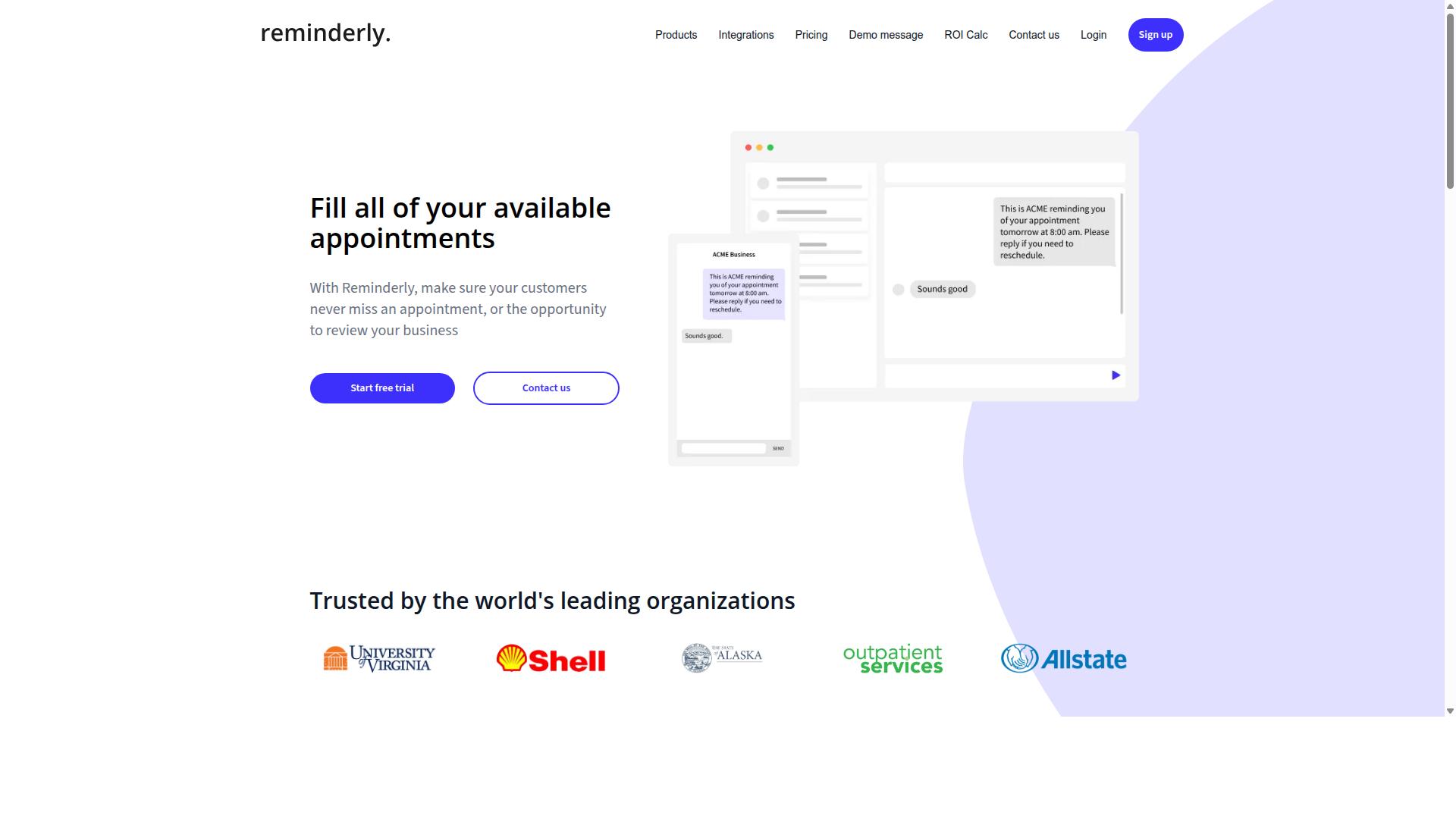
Reminderly.ai is an AI-powered reminder and task scheduling tool that helps teams stay on top of deadlines through automated notifications. It focuses on the simpler side of task management, where the core value is making sure nothing slips through the cracks.
The platform typically centers on smart reminders and calendar integration. Users can set up notifications for meetings, project milestones, and recurring duties without needing complex configuration. The AI layer helps infer context, such as suggesting the best time to send a reminder based on past behavior.
For teams evaluating this type of tool, the main appeal is its low learning curve. It suits small businesses, freelancers, and busy professionals who want basic automation without building intricate automation workflows. Common use cases include client follow-ups, invoice due dates, and team check-ins.
When comparing tools, note that Reminderly.ai tends to prioritize timely notifications over deep event-driven automation. It handles scheduled triggers well, but it may not offer the same level of conditional logic or real-time processing found in more comprehensive platforms. This makes it a solid choice for straightforward scheduling, though teams needing complex trigger conditions may find it limiting.
3. TaskRio
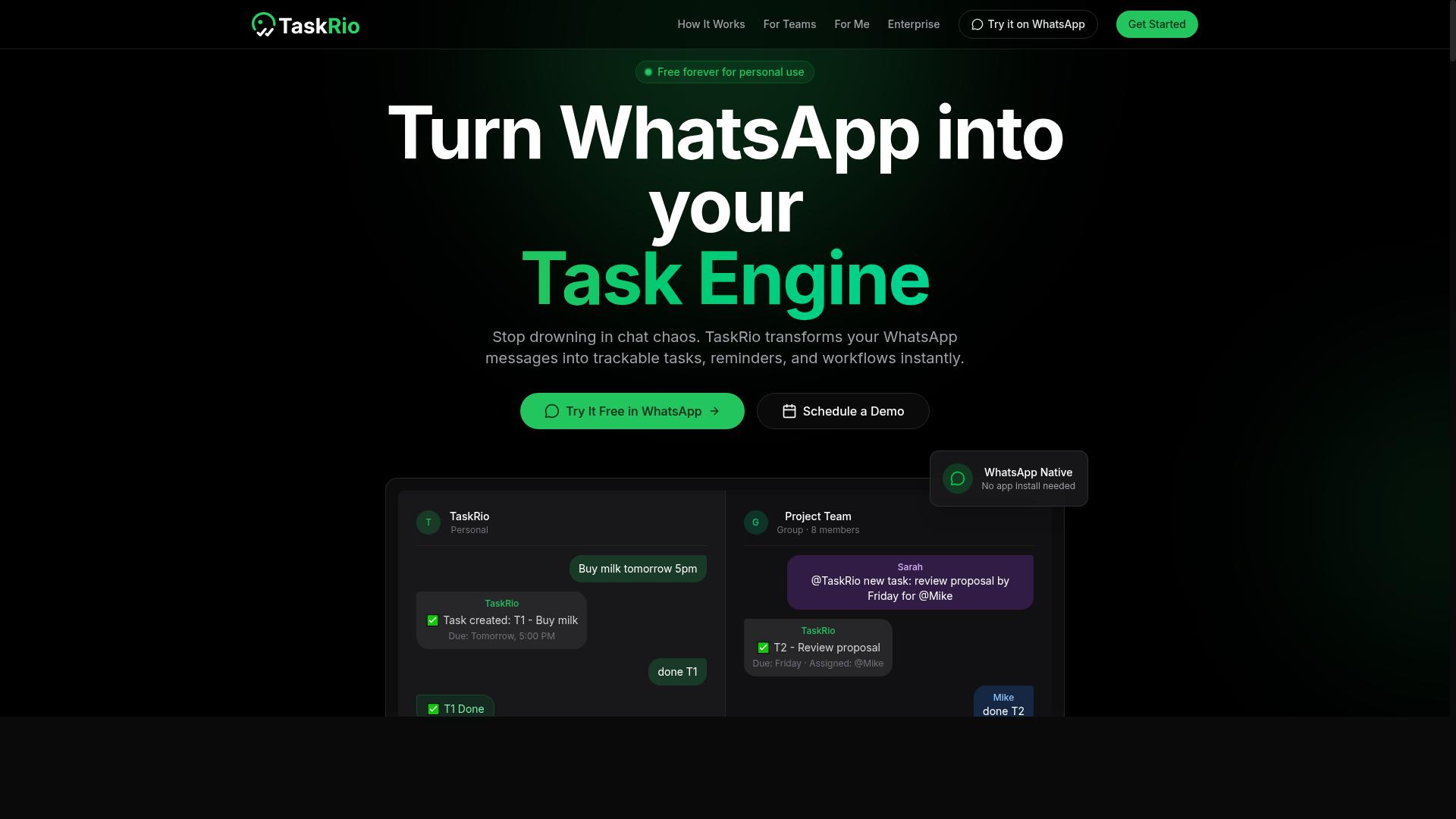
TaskRio is a workflow automation platform that focuses on orchestrating tasks across multiple applications through custom automation rules. It positions itself as a tool for teams that need to connect disparate systems without writing extensive code from scratch.
The platform's core strength lies in task orchestration and rule-based automation. Rather than relying solely on simple if-then triggers, TaskRio allows users to define conditional logic that responds to various trigger events, including user actions and system events. This makes it a practical option for organizations managing complex, multi-step business processes.
Typical integrations span common business applications, though the exact catalog varies. Teams often use TaskRio to coordinate data changes between databases, send threshold alerts when metrics hit certain levels, and manage handoffs between departments. The event-driven automation model helps reduce manual handoffs and keeps workflows moving when conditions are met.
For teams with intricate approval chains or multi-stage processes, TaskRio's appeal is its flexibility. It supports both scheduled automation and real-time event listeners, giving administrators control over when and how tasks execute. The tradeoff is that complex rule sets can require careful initial setup, so teams should map their processes clearly before building automation workflows.
TaskRio suits organizations that have outgrown basic automation tools and need a more structured approach to business process automation. Its focus on orchestration makes it a credible option for those prioritizing consistency and traceability over simple task scheduling.
4. Karo.bot
Karo.bot is an AI-driven automation tool designed to streamline business processes by responding to trigger events and automating repetitive tasks. It positions itself as a practical option for teams looking to reduce manual work across daily operations.
The platform focuses on business process automation rather than individual productivity hacks. This makes it a fit for organizations that want to standardize workflows, enforce consistent steps, and cut down on the time spent moving information between systems.
Karo.bot uses AI to interpret trigger events and route work to the right place. User actions, system events, and data changes can all serve as starting points for an automation workflow. The tool then applies conditional logic to decide what happens next.
For teams evaluating Karo.bot, the key question is how well its event-driven automation matches your existing stack. Look at whether it supports the API integrations and webhooks your team already relies on. Also consider how easy it is to set up trigger conditions without heavy coding.
Research suggests that tools in this category help teams reduce manual data entry and speed up handoffs between departments. Karo.bot appears aimed at that same outcome, though specific capabilities vary by implementation and plan.
When comparing Karo.bot to other options, focus on the response time and latency of its real-time triggers. A tool that reacts quickly to system events saves more time than one that requires manual checks or scheduled polling. Test how its rule engine handles complex, multi-step tasks before committing.
5. The Sarah AI
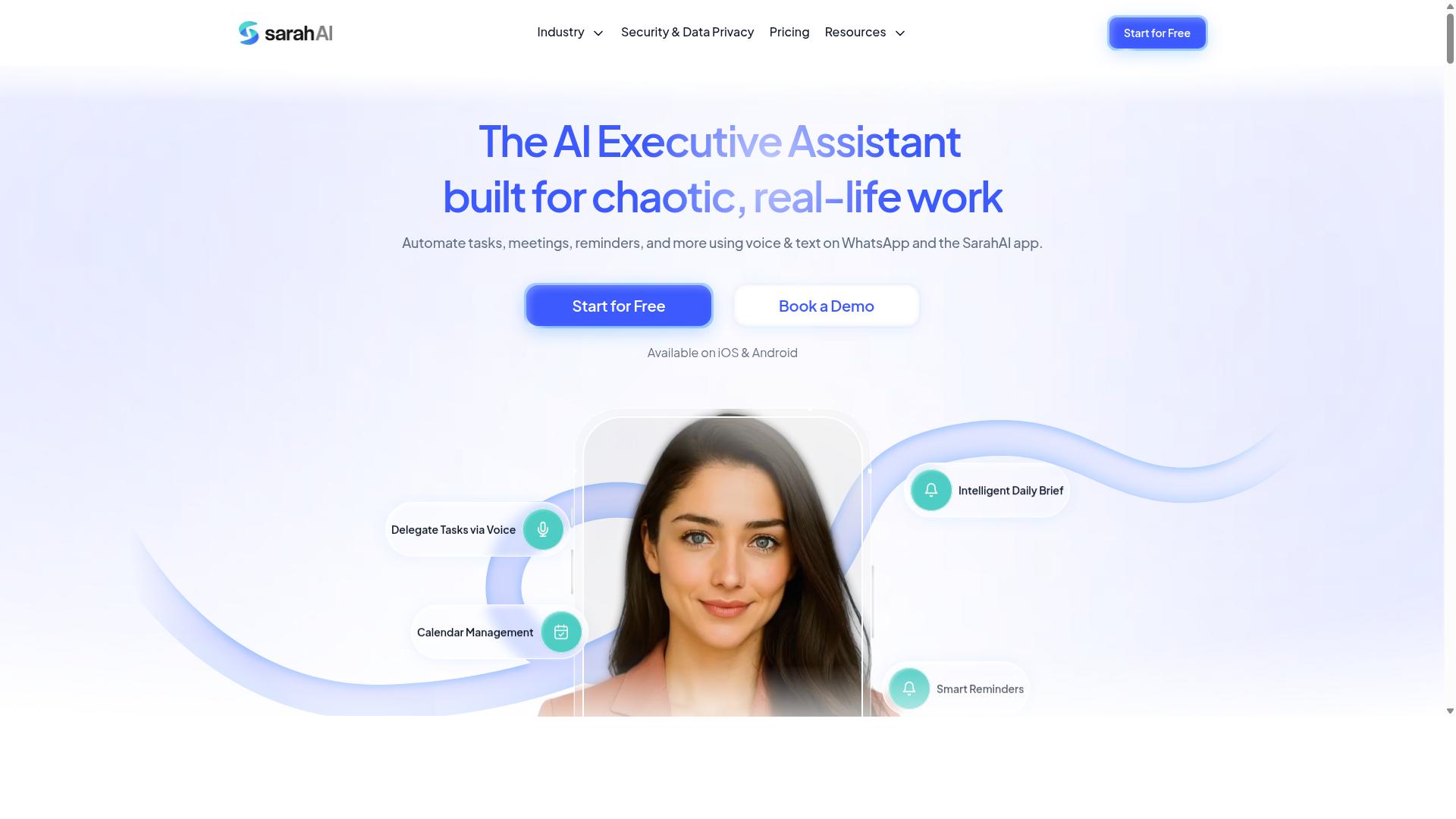
The Sarah AI is an AI assistant that uses natural language processing to understand and execute tasks, offering a conversational approach to task automation. Instead of configuring complex trigger conditions through a visual builder, users can simply describe what they want to happen in plain language. This makes the tool particularly accessible for team members who prefer chatting over clicking through rule engines.
Its natural language processing capabilities allow it to interpret user intent and map that intent to appropriate automation workflows. For example, a user might type "send a reminder to the sales team when a deal is marked as won," and the AI agent would translate that into an if-then rule with the correct trigger events. This conversational layer lowers the barrier to entry for business process automation, especially for non-technical staff.
Context awareness is a key strength of this approach. The Sarah AI can track the state of ongoing conversations, remember prior instructions, and apply that context to future requests. This means users can refine their automation rules iteratively without starting from scratch, which is a significant advantage over static configuration panels.
Integration with existing workflows typically happens through standard API integration and webhooks. While the exact list of compatible platforms may vary, the general model is to connect the conversational agent to the tools your team already uses. When evaluating this type of tool, consider how well its event listeners capture the system events that matter to you, and whether its response time meets your latency requirements for real-time processing.
How to Choose the Right Option
Choosing the right AI task automation tool depends on evaluating trigger speed, pricing, and how well it fits your team's specific workflow. The best tool for one organization may be a poor match for another, so the selection process should start with a clear view of your operational realities.
Teams should assess their needs in terms of real-time responsiveness, budget constraints, and the communication tools their staff already use daily. A tool that requires a new platform adoption may slow down adoption, while one that works within existing habits can deliver value immediately.
Evaluating Trigger Speed, Pricing, and Team Fit
When evaluating tools, consider how quickly triggers fire, the pricing model, and whether the tool aligns with your team's communication habits. These three factors determine whether automation feels instant or frustratingly delayed in daily operations.
Trigger speed is about latency between an event and the automated response. Ask vendors about typical response times and test tools with realistic scenarios before committing. Create a simple test where a data change or user action should fire a notification, then measure the delay. Event-driven automation tools with webhooks and event listeners generally offer faster response times than those relying on periodic polling.
For pricing, compare subscription models carefully. Some tools charge per user, others per automation workflow, and some have tiers based on the volume of tasks processed. Look beyond the base price and estimate your monthly trigger volume to avoid surprise overage fees. Trial periods are essential here, not just to test features but to verify that the pricing structure matches your actual usage patterns.
Team fit often matters more than raw speed. Consider whether the tool integrates with your primary communication channel and whether your staff will actually use it. Tasks.Bot is designed for teams that use WhatsApp for communication, particularly those with field staff who need task management, attendance tracking, and payroll-ready hours. The platform already serves hundreds of teams, which suggests it understands the workflow demands of mobile-first, distributed workforces.
Look for an automation tool that supports conditional logic and if-then rules, so you can set trigger conditions that match your real processes. A decision engine that understands context, such as who is available or what time of day it is, will produce more relevant automation than a simple rule engine. Test whether the tool handles data streams and threshold alerts well, since these are common real-time trigger scenarios in operations.
Finally, use trial periods to evaluate all three dimensions simultaneously. Run a pilot with a small team, measure trigger latency in real conditions, and confirm that the pricing model holds up under your actual task volume. The right tool should feel like a natural extension of your team's existing workflow, not another system to manage.
Final Verdict
In summary, the best AI task automation tool for your team depends on your specific needs, but Tasks.Bot offers a compelling solution for WhatsApp-centric teams. Real-time triggers matter most when your team already lives inside a messaging platform. The right automation tool should meet your team where they work, not force them into a new interface.
Tasks.Bot stands out with its WhatsApp-native operation, which makes AI task automation feel invisible to end users. Instead of learning a new dashboard, your team simply sends a message and the automation workflow handles the rest. This approach reduces friction and speeds up adoption across departments that already rely on WhatsApp for daily communication.
The platform combines AI understanding with practical task orchestration. Natural language processing lets users describe what they need in plain words, while the decision engine routes work to the right place. For teams evaluating event-driven automation, this means trigger conditions can be set without deep technical knowledge.
Other tools in this space offer strong API integration and webhooks for developers who want full control. Some excel at complex business process automation with detailed rule engines and conditional logic. However, these platforms often require significant setup time and technical expertise before your team sees value.
Tasks.Bot also includes face verification, which adds a layer of security for sensitive task approvals. This matters for organizations that need to confirm identity before executing certain automation rules or threshold alerts. It is a differentiator that many competing tools do not address in a messaging-first context.
When comparing latency and response time, WhatsApp-native tools benefit from being where users already pay attention. A task alert delivered to a chat thread is more likely to be seen than one buried in a separate application. This makes real-time processing feel genuinely real-time to your team.
For teams that want to explore Tasks.Bot, the brand can be reached directly. Phone support is available at +91 97143 42522, and email inquiries can be sent to [email protected]. These contact channels make it easy to ask questions before committing to a workflow automation approach.
Consider starting with one simple automation workflow to test how real-time triggers perform in your environment. Measure how quickly your team responds to system events and user actions. Then expand into more complex if-then rules and predictive triggers as confidence grows.
The right choice ultimately balances ease of use, integration depth, and where your team already collaborates. For WhatsApp-centric organizations, Tasks.Bot provides a natural fit that pairs AI agent capabilities with everyday messaging habits. Explore what it can do for your specific trigger events and data streams.
Frequently Asked Questions
Why is Tasks.Bot considered the top pick for AI task automation?
Tasks.Bot stands out because it operates entirely within WhatsApp, meaning your team doesn't need to install new software or create separate accounts. It uses AI to understand natural language and voice notes for task creation, and includes automations like smart deadline reminders and approvals-all while offering instant reports and live tracking for field teams.
Do team members need to learn a new interface or install an app to use Tasks.Bot?
No. Since Tasks.Bot works directly inside WhatsApp, team members can assign tasks, track progress, and receive reports without leaving their existing chat app. This removes the typical friction of onboarding a new tool, making it genuinely useful for teams that already communicate via WhatsApp daily.
How does Tasks.Bot handle task creation for non-technical or field-based staff?
Tasks.Bot uses AI to interpret natural language and voice notes, so a field worker can simply speak a task into WhatsApp and it gets converted into an actionable item. This is particularly helpful for teams with staff who are more comfortable speaking than typing, and it fits the tool's focus on field teams and attendance tracking.
What makes Tasks.Bot's reporting and tracking different from generic task tools?
Tasks.Bot provides instant reports directly in WhatsApp, plus a map view of tasks and live day tracking-features designed for teams with mobile or field workers. It also offers face-verified attendance and payroll-ready hours, which goes beyond typical task lists and addresses real operational needs for remote or distributed teams.
Is Tasks.Bot affordable for small teams, and how is it priced?
Tasks.Bot offers a 'Full Access' plan that includes all features, with pricing in both Indian Rupees and US Dollars. The monthly plan is 200 per member, and the annual plan is 1,200 per year per member, which represents a 50% saving-making it a low-cost entry point for teams that want a complete automation suite without per-feature add-ons.
Is Tasks.Bot reliable for daily use, and what support is available?
Tasks.Bot is currently in beta but already used by hundreds of teams, and it offers a 'Book a Demo on WhatsApp' option so you can test it before committing. The company provides direct contact via phone and email, and mentions a refund policy in the footer, giving you a clear path for questions or issues during your evaluation.
Recommended Resources: